 Rainbark
A new badge and name color with every message
Rainbark cycles your global badge and chat color as you talk. Pick a palette, choose your badges, and let it run.
Free and open source. Works in Chrome, Edge, Brave, Opera, Vivaldi, Arc and Firefox.
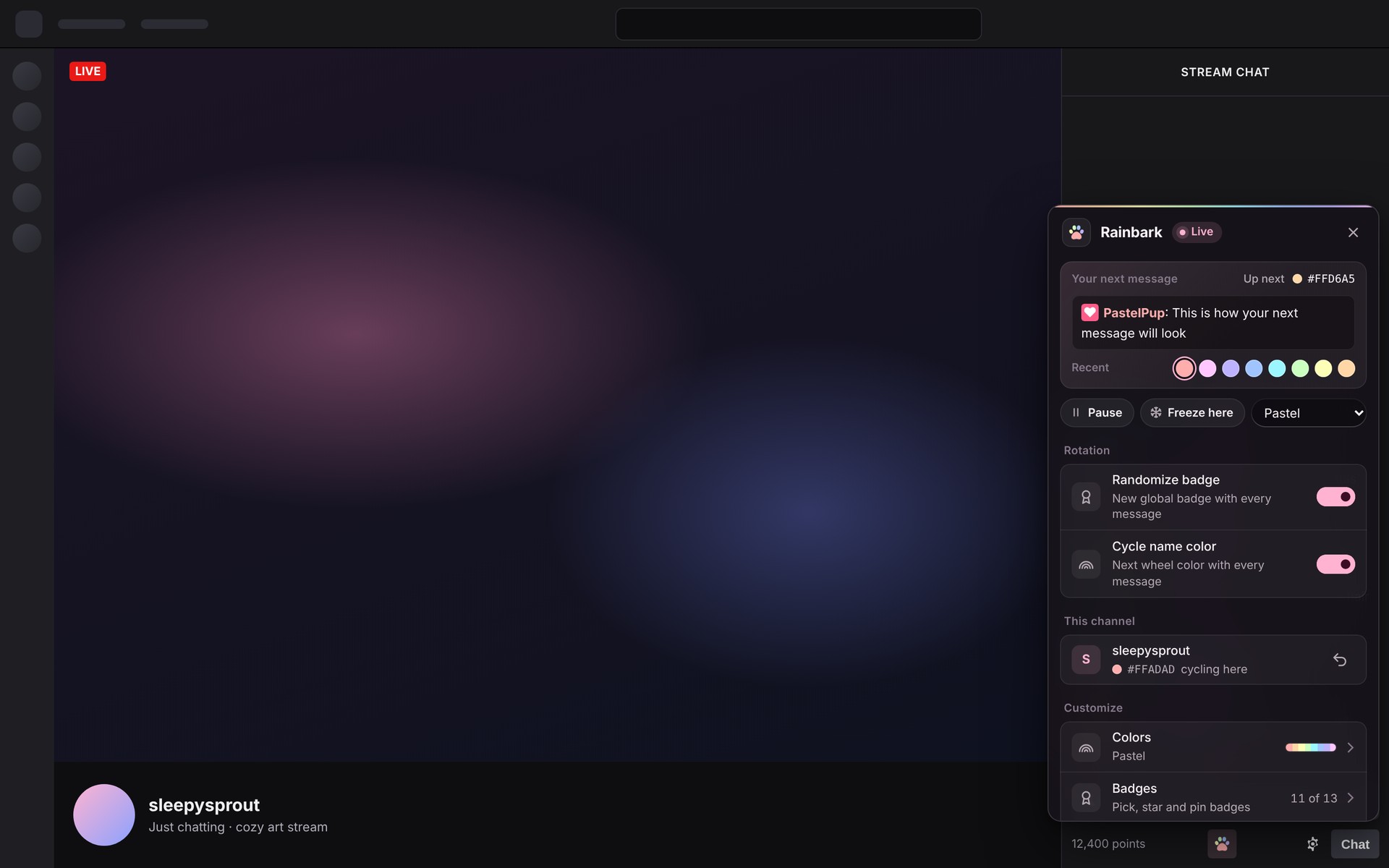
Everything in one panel
Open it from the paw button under the chat box, or with Alt+Shift+R.
Palettes
Rainbow wheel, pastel, sunset, 36 pride flags, Twitch free colors or your own hex codes. In order or random.
Badges
Shuffle or set an order. Star favorites, switch some off, or pin one badge to a channel.
Per channel
Each channel keeps its place in the palette. Freeze a channel to keep one color there.
Your pace
Change on every message, every few messages, or at most once every so many seconds.
Chat shortcuts
Type >color to paste your hex code, >pause to stop. Save your own snippets too.
Pronouns
Tags from pr.alejo.io next to names in chat, styled the way you like.
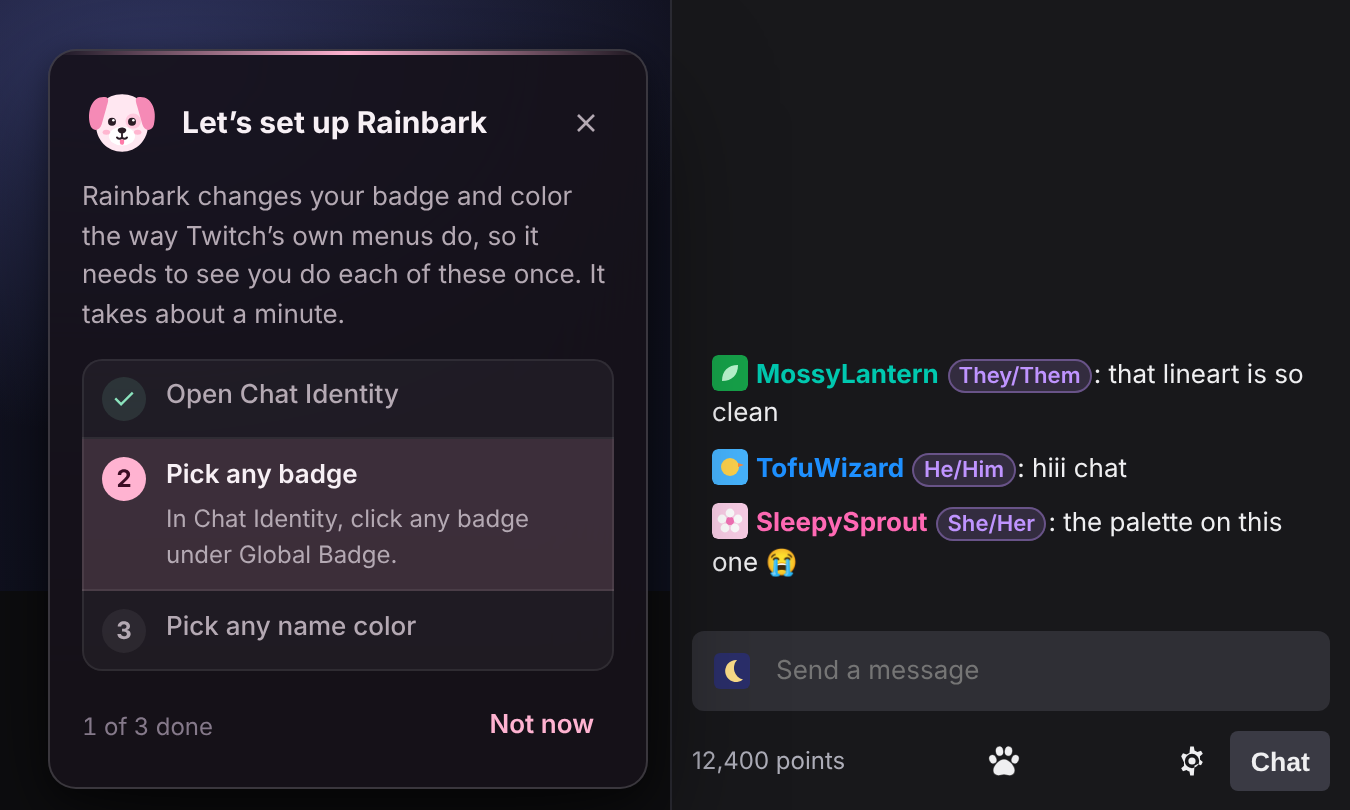
One minute to set up
Rainbark uses the same requests Twitch's own menus send, so it needs to see each one once.
- Open any channel while signed in to Twitch.
- Open Chat Identity by clicking your badge in the chat box.
- Pick any badge, then any name color.
- Send a message. Your badge and color change with each one.
Gallery
Dark by default, with a soft pink accent.
Private by design
No servers, no analytics, no ads. Changes go straight from the Twitch page to Twitch. With pronouns on, usernames from chat are sent to the pronouns API to look them up. Settings stay in your browser. Rainbark isn't affiliated with Twitch or pr.alejo.io. Privacy policy